
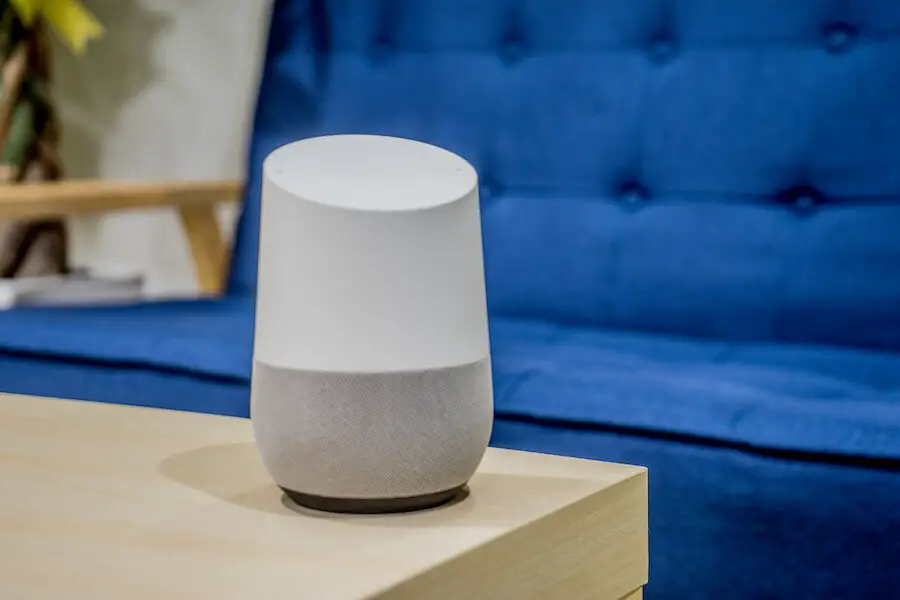

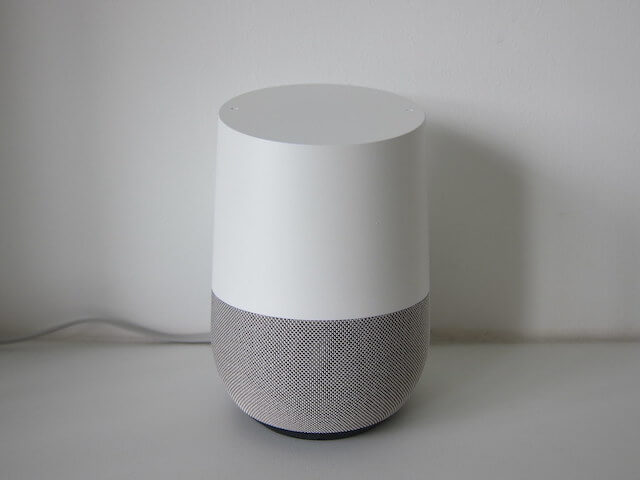
Google Home is not simply a speaker. It also allows you to connect with various smart home appliances via a voice control called Google Assistant.
You may not want to leave this device behind when you are away from your house due to its conveniences.
For this reason, you will ask yourself: Does Google Home work away from home? This article is written for you!
Let’s scroll down and discuss this question!
Table of Contents
Does Google Home Work Away From Home?
The good news is yes! As long as you have a Wifi connection, it’s possible to use your Google Home away from your home.
When you are on a vacation or business trip, you can bring this device along, and it can still work thanks to its Home & Away Routines function effectively.
For instance, your family can turn the light on/off or play music via Google Assistant when on holiday.
With this feature, you can easily control several smart home appliances, such as thermostats, cameras, switches, and plugs.
Besides, presence detection will help your gadgets adapt to your requirements, whether you are away or at home.
This function also turns on the cameras automatically when you’re not at home. This way, you can observe things via the Google Home application.
How Can Google Home Start Away From Home?
Below are some guides to start the Home & Away Routines function to use your Google Home away from your house:
With App
You can start this feature via the Google Home app with the simple steps below:
- Open the Google Home application on your smartphone.
- Toggle the Home & Away option.
- Select the Routine by tapping it.
With Voice Command
Besides starting the Home & Away Routine functionality via the app, it’s possible to do this setting with Google Assistant.
However, you must ensure that the devices you want to set up can detect presence via voice control.
Consider the following steps to start this function with a voice command:
- Say the command “OK/Hey Google, someone is home.”
- To activate the Home & Away Routine feature, say “OK/Hey Google! Everyone is away” or “OK/Hey Google! Everyone is leaving.”
Note:
- You can’t start a Home & Away Routine to adjust a doorbell or camera using a voice command.
- When you activate this function using voice command, the Home Guard’s status won’t change.
- This smart speaker comes with safety precautions, which prevent unauthorized people from modifying your device using their voices.
How To Use Away And Home Status For Your Google Home Routines?
Using this feature to control your smart home appliances with Google Home is not challenging when you are not home.
Here is how to set up and activate this functionality:
Step 1: Connect All Compatible Smart Home Appliances To Your Google Home
To set up a Home & Away Routine, ensure you connect your speaker to other home devices.
It’s worth noting that Google Home does not support all home appliances. Below are some compatible items:
- Cameras
- Smart thermostats
- Doorbells
- Smart lights, plugs, and switches (certain brands)
Step 2: Set Up The Home & Away Routine Activity On Home Appliances
- Open the Home application on your smartphone.
- Select the Routines option.
- You can select Set Up Home & Away Routines.
- The menu of various Routine categories appears. Look at Household Routines.
- Two options come up: Home/Away. Click on Away.
- Tap Add Action to add smart home appliances connected to your speaker.
- Select the devices and their activities when you are away from home.
- Tap the Save button to end the setup process.
Step 3: Set Up Smart Home Appliance Activity
Open your Google Home and set up the activities you prefer to activate when you arrive at your house.
For instance, the activities may include turning on smart lights at night or increasing the temperature.
Remember to tap the Save button to complete the process.
Step 4: Adjust If Needed
Now the Home & Away Routine feature works. If you want to modify the settings depending on your needs, it’s possible.
How To Create A Household Routine In Google Home?
You can easily create household routines in your Google Home with these steps:
- Open the Home application on your smartphone.
- Select the Routines option.
- Click the plus symbol at the bottom to the right side of the screen.
- Select Household.
- Give your Routine a name so you can say the command more easily.
- Select and add one “starter” or more to trigger the Routine.
- Add one “action,” like turning on/off smart lights, modifying the thermostat, or activating the vacuum.
- You can add several actions to your Routine if you want.
Note:
If you create a Routine related to audio, remember to select the display or speaker you love it playing music from.
The smart speaker will send a message to your smartphone if you don’t select any output devices.
After you’ve finished setting up your Routine, it’s possible to trigger it with Google Assistant via the command “OK/Hey Google! Start [your Routine name].”
Otherwise, you can use the play button next to your Routine in your Home app.
Moreover, you can edit or adjust any Routine in the Home app, such as turning it on/off or deleting it.
How To Select Starters For Your Google Home Routine?
Google has launched several new starters to make the Household Routine more practical and convenient.
Besides, you can combine many starters to use them for a specific time. You may create a Routine to begin whenever a device acts:
- Turn on/off lights, cameras, ovens, plugs, switches, or TVs.
- Start/Stop robot vacuums, cookers, washing machines, sprinkler systems, or dishwashers.
- The time sensors detect motion.
- The time thermostat modes change.
- The time to lock smart locks.
- The time anyone presses a doorbell.
- The time you play/pause/stop the media.
- The time you adjust the media volume.
- The time you modify the media input choice.
How To Select Actions For Your Google Home Routine?
You can add five action categories to your Routine. It’s also possible to type your wanted command to create your actions.
Here are the actions you can choose for your Routine:
Adjust Home Appliances
you can turn on/off, start/stop, or adjust devices. However, Google Home doesn’t group these appliances, meaning you must do the action separately.
Get Info & Reminders
Your Routine will have the information from your Google Assistant, like recent news or weather forecasts.
Communicate & Announce
You can set up a Routine for all smart speakers to communicate or announce the news in your house.
Play & Control Media
This action allows your Routine to read news and play audio, music, podcast, or sleep sounds. It’s possible to arrange these actions in order.
The Bottom Line
Does Google Home work away from home? Thanks to the Home & Away feature, you can use your smart speaker when you leave your house.
As long as you have Wifi connection, you can activate the routines you’ve set up on your Google Home app.
Hopefully, you can take all advantage of this device even when you are on vacation with our complete guides. Thank you for reading!